

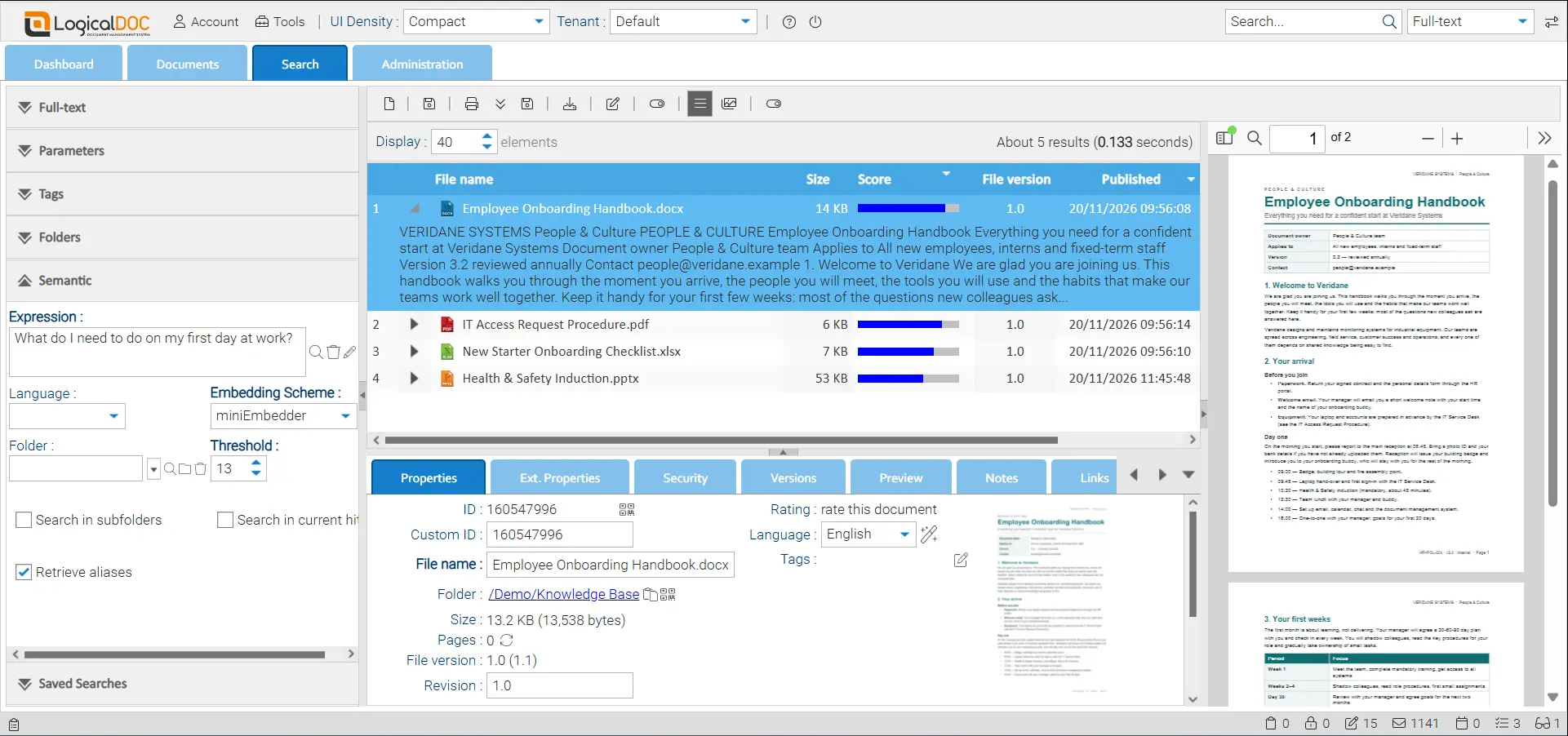
Everything you need to manage business documents
LogicalDOC is a document management platform that brings structure to business information. Organize files with folders and metadata, discover connections through tags and document links, and reduce repetitive work with AI-powered capabilities and automation.
From daily collaboration to document governance, teams can find the information they need, follow changes and keep documents under control throughout their lifecycle.
Document organization and classification
Give every business document a clear place and context.
LogicalDOC helps teams organize documents into a consistent folder structure while describing them with metadata and document templates. Instead of relying only on filenames, users can classify records by document type, department, customer, project or other relevant business attributes.
Structured metadata makes document retrieval easier, supports consistent filing practices and helps colleagues work with the same information. Access permissions can be applied to the repository structure, so information stays available to the people who need it.
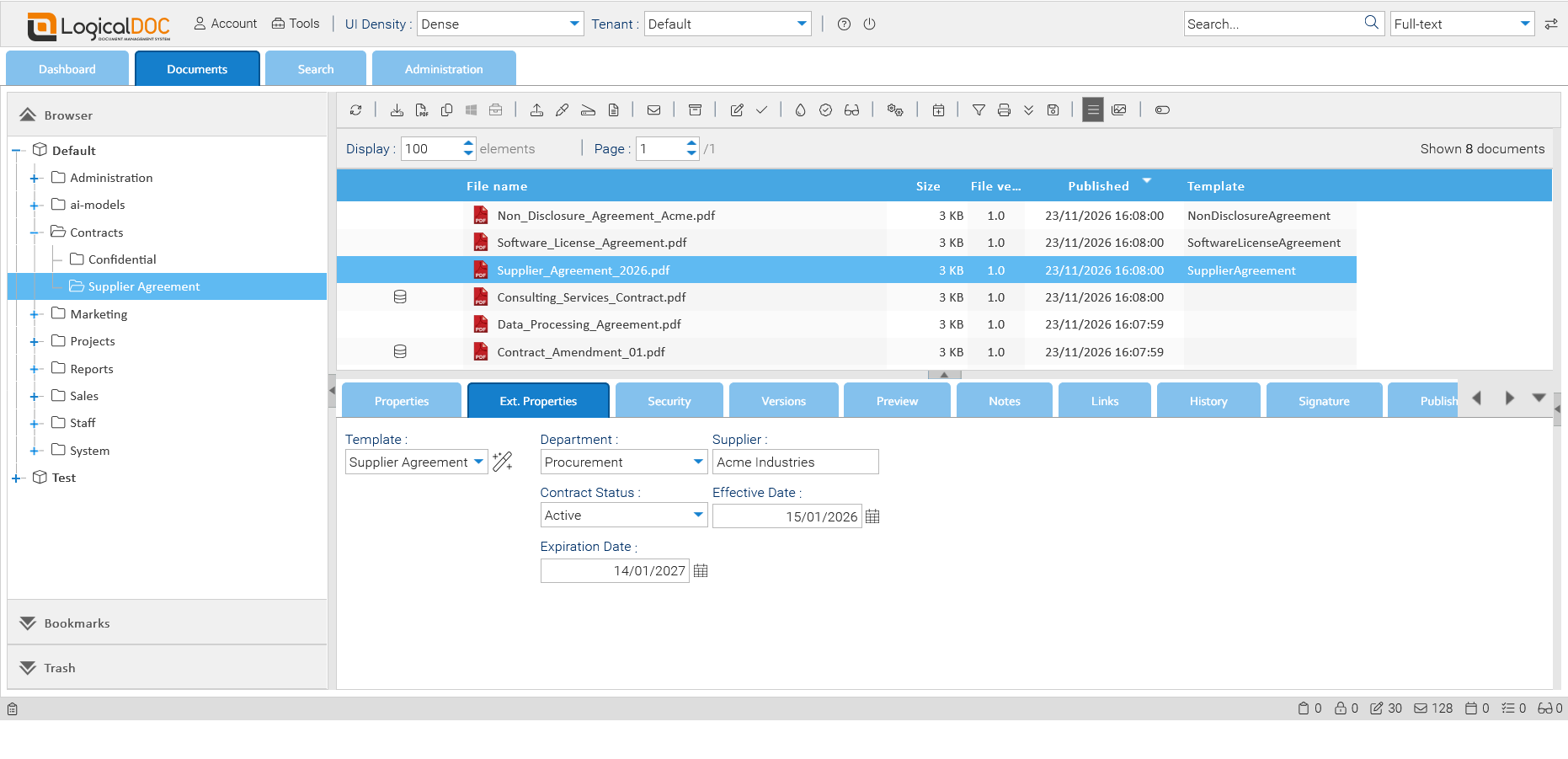
INTELLIGENT DOCUMENT MANAGEMENT
AI-powered document management
Spend less time filing documents and more time using the information they contain.
Automatic classification
AI-assisted classification helps identify document categories and supports consistent organization as new files enter the repository. Teams can reduce manual filing effort while retaining control over their document structures.
Automatic tagging
Automatically suggested or assigned tags help describe document content and make related information easier to discover across different folders and business areas.
Semantic search
Find relevant documents by meaning, not only by exact keywords. Semantic search helps users locate information even when their query uses different words from the source document.
Explore semantic searchAI also supports faster review of lengthy documents through document summarization. These capabilities complement LogicalDOC's established metadata, indexing and search tools rather than replacing them.
Beyond AI, full-text indexing and OCR help teams search inside documents and scanned files. Zonal OCR can extract information from predefined areas of supported document layouts.
Connect documents with tags and links
Build meaningful relationships without creating duplicate files.
Documents do not always belong to just one project or process. LogicalDOC allows teams to use tags to group related information virtually, even when files are stored in different folders. Explicit document links provide another way to connect records that belong together.
For example, a contract can be associated with supporting correspondence, specifications and related documents while each file remains in its appropriate location. This helps users follow the context of a business activity and retrieve connected information more efficiently.
One document, multiple contexts
- Tags connect documents across folders
- Document links make explicit relationships visible
- Folder organization remains consistent
- Users can discover related information more easily
Workflow and document automation
Move routine work forward with repeatable processes.
LogicalDOC supports document workflows for activities such as review and approval. Defined tasks and participants help teams follow a consistent process instead of relying on scattered emails or informal handoffs.
Automation procedures can perform document-related actions and reduce repetitive administrative steps. Together, workflows and automation help organizations standardize how documents are processed, improve traceability and keep work moving.
Explore workflow automationExample: contract approval
- A contract enters a review workflow.
- Assigned participants review and approve it.
- Configured automation performs the next document action.
- The resulting activity remains traceable in the system.
Event subscriptions and notifications
Stay informed when important documents change.
Users can subscribe to document events and receive notifications when relevant activity occurs. Instead of repeatedly checking a folder or asking colleagues for updates, subscribers can follow changes to documents that matter to their work.
Event subscriptions complement workflow automation: workflows guide formal processes, while subscriptions keep interested users informed about document activity. This is particularly useful for teams collaborating on contracts, technical files and frequently updated business records.
Follow what matters
Subscribe to relevant document events and receive updates without manually checking every file.
Control, security and document lifecycle management
Keep documents accessible, protected and traceable as they evolve.
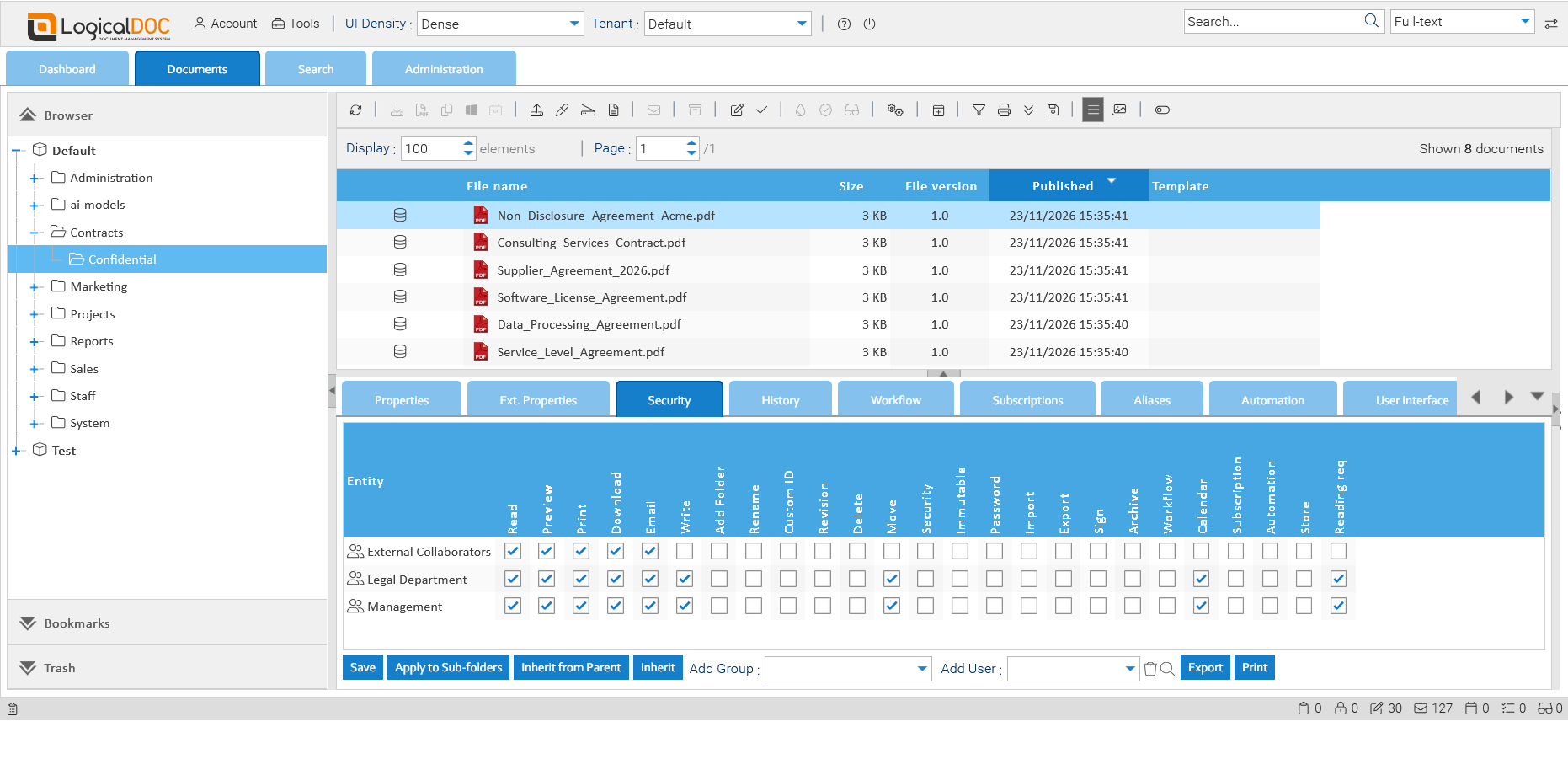
Secure sharing and access control
Granular permissions determine who can view, edit, download or manage folders and documents, with inheritance from parent folders. Teams can also share documents using controlled delivery options such as download tickets. Authentication options vary by edition.
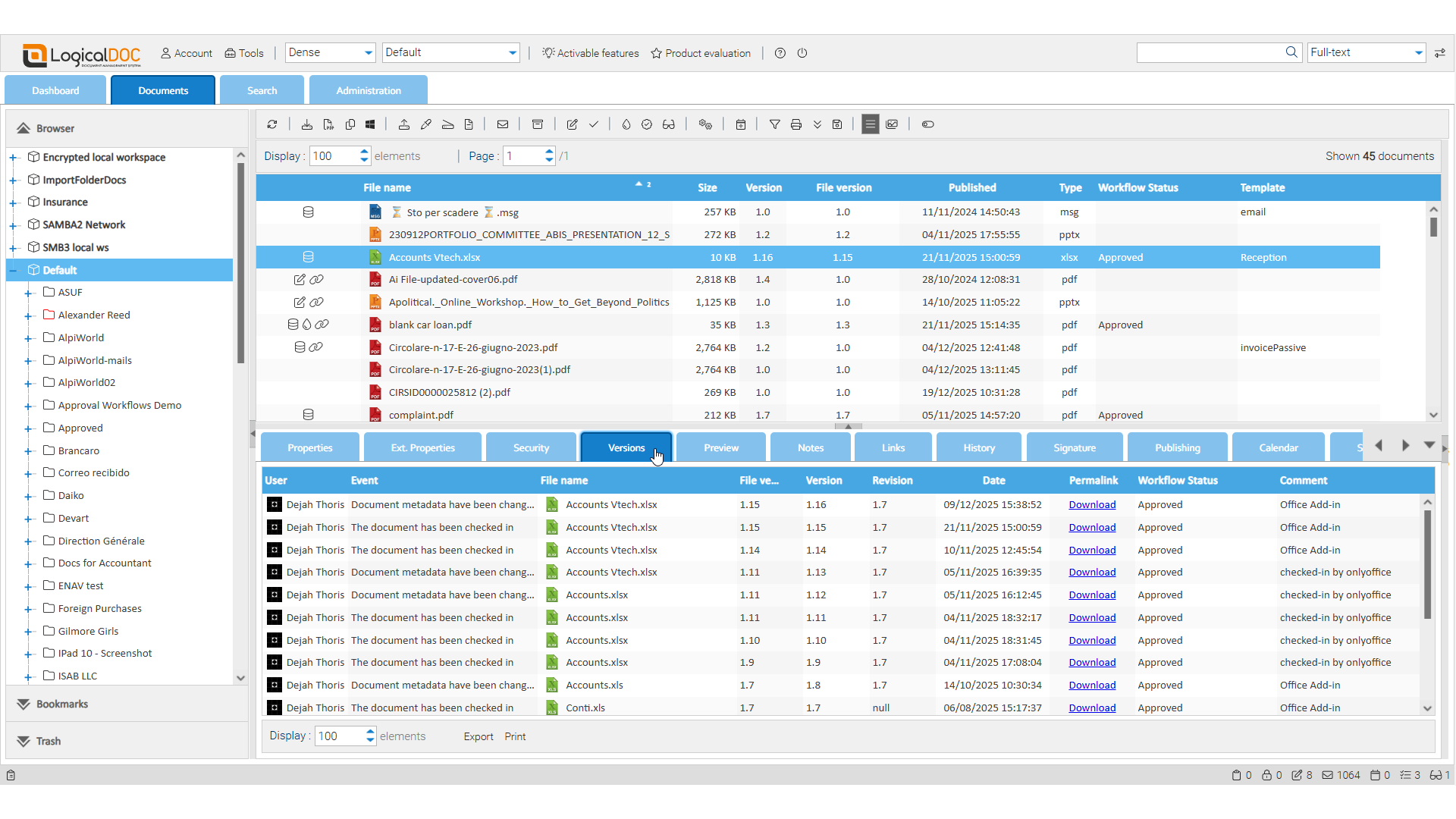
Version control
Preserve earlier document versions, coordinate edits through check-in and check-out, compare versions and restore a previous version when necessary. This helps prevent conflicting changes while keeping an accessible history.
Choose the deployment model that fits your organization
LogicalDOC offers flexible deployment options so organizations can align document management with their infrastructure, governance and operational requirements.
Cloud
Use a hosted document management environment without managing your own application servers.
Explore CloudOn-Premises
Deploy LogicalDOC within infrastructure managed by your organization. Retain full control over your data.
Explore On-PremisesHybrid Cloud
Explore a hybrid approach for organizations with mixed infrastructure needs.
Explore Hybrid CloudIntegrations with your business applications
Keep documents connected to the tools your teams already use.
LogicalDOC provides integrations for Microsoft Office applications and Outlook, helping teams work with business files and email attachments. For custom connections to ERP, CRM and other enterprise systems, developers can use REST and SOAP web services, WebDAV and CMIS.
Explore the LogicalDOC APIs and the Office Add-in to learn how document management can fit into existing processes.
Who uses LogicalDOC?
LogicalDOC is a flexible document management platform used across departments and industries. Organizations can configure folders, metadata, access permissions and workflows around their own processes.
- Technical teams managing drawings, manuals and revisions
- Research and development teams managing project records
- Healthcare organizations handling sensitive documentation
- Legal teams organizing contracts and case files
- Construction companies coordinating project documents
- Higher education institutions managing academic and administrative records
See how organizations use LogicalDOC in our customer case studies.
LogicalDOC editions
Choose an edition based on your team size, deployment needs and required capabilities. Feature availability varies by edition.
| Edition | Best suited for |
|---|---|
| Community | Individuals and small teams looking for a free, open-source starting point. |
| Business | Small and medium-sized organizations that need professional features and support. |
| Enterprise | Organizations requiring advanced functionality, security and scalability. |
| Cloud | Teams that prefer a managed document management service. |
Check availability in the edition comparison matrix or request a quote.
Frequently Asked Questions About LogicalDOC
- Can LogicalDOC be installed on-premise or used in the cloud?
Both. LogicalDOC offers on-premises deployment, a managed Cloud service and hybrid deployment options to suit different infrastructure requirements.
- Is there an open-source version of LogicalDOC?
Yes. LogicalDOC Community Edition is free and open source. Business, Enterprise and Cloud editions offer additional capabilities and professional services.
- Does LogicalDOC keep the version history of documents?
Yes. LogicalDOC supports document versioning, comparison and restoration of earlier versions. Check-in and check-out help coordinate changes.
- How does LogicalDOC help with audits and compliance?
Document history can record selected events according to administrative configuration. Permissions, reports and retention settings help organizations manage controls and prepare evidence for audits.
- Does LogicalDOC use AI, and do my documents leave the system?
LogicalDOC provides AI-assisted classification, automatic tagging, semantic search and document summarization. Data handling depends on the feature and its configuration; review the applicable deployment and AI settings for your environment.
- Can LogicalDOC integrate with Microsoft 365 and other business systems?
LogicalDOC offers Office and Outlook integrations and standard interfaces including REST and SOAP web services, WebDAV and CMIS for connecting other business applications.
Still Have Questions?
Talk to our team about your document management requirements and discover the right LogicalDOC solution for your organization.
Contact UsSee LogicalDOC with your own documents
Try it free for 30 days or let us show you the platform in a live demo.
